GPT Image 2 生成器:透明 PNG & SVG 导出
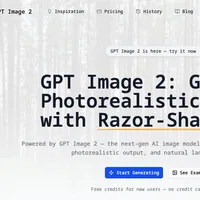
GPT Image 2 是 OpenAI 最新一代的图像生成模型,在文本渲染、照片真实度和空间推理方面取得了显著改进。
imagesv2.ai 平台提供了便捷的网页界面访问该模型,并提供免费试用额度。
该平台的主要特点包括:生成照片级逼真图像,支持精确的文本渲染,生成 360° 全景图、推特截图和微信聊天场景,提供文章插图、风格卡和 AI 人像风格等功能。
最重要的是,它支持透明 PNG 和可编辑的 SVG 格式导出,以及 50 多个现成的模板,显著提升了设计工作流程的效率。
查看原文开头(英文 · 仅前 3 段)
GPT Image 2 is here — try it nowGPT Image 2: Generate Photorealistic Images with Razor-Sharp TextPowered by GPT Image 2 — the next-gen AI image model with perfect text rendering,photorealistic output, and natural language editing.Start GeneratingSee ExamplesFree credits for new users — no credit card requiredSee What GPT Image 2 Can Do on imagesv28 hand-picked covers — tap the button below for the full 100+ case library.360° Panorama GeneratorStep Into a World From One SentenceType a place and time. GPT Image 2 auto-appends the five panorama keywords and returns a true equirectangular panorama you can drag, zoom and walk into.Tweet Screenshot GeneratorAI Writes the Tweet, We Render the ScreenshotType a topic or vibe. AI drafts a viral-style tweet and renders it as a pixel-accurate X (Twitter) single-tweet screenshot — themeable, editable engagement counts, exports a 1500px PNG.WeChat Chat GeneratorOne Scene Prompt, AI Writes the Whole ChatType a scene like "customer follow-up" or "referral intro" — AI drafts a natural conversation and renders it as a 750×1334 WeChat chat screenshot. Every line is editable, exports as PNG.Article Illustration GeneratorTurn one sentence into a fully composed infographicFood maps, science encyclopedia spreads, museum breakdowns, travel guides — one generator covers every "image with text" need. Ready for social, slides or blog.The five figures below were generated by this very tool, illustrating a fable about diffusion models we wrote in-house.Personal Style CardUpload one photo, get a complete style analysisReal face preserved. Hairstyle, makeup, color and jewelry compared as best fit / neutral / avoid — all on a single 2:3 poster. A pro stylist's report on one image.Hairstyle compareMakeup analysisColor try-onJewelry pairingAI Portrait StylesOne selfie, a dozen pro-level looksCinematic 35mm film, editorial black-and-white, LinkedIn headshot, Korean ID photo, 3D figurine — same face, different stylists.Personal Color AnalysisWhich colors actually flatter your skin?AI infers your undertone, then shows best vs avoid clothing colors side by side on your real face — clear at a glance which colors brighten or dull your complexion. Pull it up before you shop.Warm paletteCool paletteUndertone detectionBest-color try-onAvoid-color calloutsSide-by-side compareWhy Choose imagesv2.ai for GPT Image 2?Capabilities ChatGPT can't deliver — transparent PNG, editable SVG, and 50+ ready-to-use templates that drop GPT Image 2 straight into your design workflow.Real RGBA Transparent Background — One ClickGPT Image 2 doesn't natively support transparent output — we built an alpha cutout pipeline on top. Pick "Transparent" and download a real RGBA PNG with feathered alpha edges. Drop straight into Photoshop, Figma, or any layered design tool — verified live on a checkerboard preview before you download.Editable SVG Vector OutputPick "SVG" as the output format and the generation is auto-vectorized via fal.ai recraft/vectorize into a clean path file — open in Figma, Illustrator, or any vector tool to keep editing text, colors, and shapes. PNG is also returned as a fallback. Best for icons, logos, flat illustrations.50+ Built-in Prompt TemplatesProduct photos, social media covers, posters, avatars, children's book illustrations — click and generate, no prompt skills needed.GPT Image 2 Key FeaturesGPT Image 2 doesn't just render pixels — from photo to pixel, from manga to cinema, plus precise text rendering, one model covers every visual creative scenario.Precise Text RenderingPoster headlines, UI copy, product logos, chart labels rendered correctly in one shot — small type stays sharp, layout holds, multi-language (EN / ZH / JA / KO) without garbled characters. The diffusion-era text-rendering problem, systematically solved. No more Photoshop touch-ups.Lens vignetting, film grain, depth-of-field blur — even subtle imperfections are preserved. GPT Image 2 output is indistinguishable from a camera capture.Cinematic StillsWidescreen framing, cinematic color grading, dramatic lighting reproduced with precision — Netflix-grade stills from a single prompt.Crisp pixel alignment, clean color-block edges, authentic low-res aesthetics — consistent 8-bit / 16-bit retro game output.Manga & AnimeClean linework, screentone shading, panel composition — Japanese manga visual language rendered natively with consistent characters.Watercolor, flat design, 3D render, poster typography — textures, lighting, and composition stay stable across art styles.Simple, Pay-Per-Use PricingBuy credits once, use them anytime. No subscription, no expiration. Credits work with all models.One-time purchase, no subscriptionNo automatic chargesCredits never expireCancel anytime worry-freeIncludes1,000 creditsCredits never expireAll models: GPT Image 2Text-to-image generationImage editing & inpaintingTransparent background exportWatermark-free downloadsBest ValueEverything in Starter, plus5,000 creditsCredits never expireAll models: GPT Image 2Priority generation queueBatch generation (up to 10)All output formats & sizesWatermark-free downloadsEverything in Pro, plus20,000 creditsCredits never expireAll models: GPT Image 2Priority generation queueBatch generation (up to 10)Commercial usage licenseWatermark-free downloadsGPT Image 2 — Frequently Asked QuestionsCommon questions about GPT Image 2 and imagesv2.ai. Have more questions? Contact us at [email protected].GPT Image 2 is OpenAI's next-generation image model, succeeding GPT Image 1.5. It delivers breakthrough improvements in text rendering, photorealism, world knowledge, and spatial reasoning. imagesv2.ai provides easy access to this model via a simple web interface.We aggregate multiple image generation models including GPT Image 2, GPT Image 1.5, and more. You can compare outputs from different models side by side and choose the best result — all from one platform.New users get free credits to experience the full generation capability — no credit card required. After that, you can purchase credits on a pay-per-use basis. One-time purchase, credits never expire. No monthly subscription lock-in.No. imagesv2.ai provides direct browser access to GPT Image 2 — no OpenAI account, no ChatGPT Plus subscription required. We also offer more flexible payment options than OpenAI directly.Absolutely. We provide 50+ built-in prompt templates covering common scenarios — product photos, social media covers, posters, avatars, children's book illustrations, and more. Just click a template and generate. No prompt engineering skills needed.Almost anything visual: product photos, social media covers, YouTube thumbnails, posters with accurate text, UI mockups, game concept art, avatars, and more. You can also one-click generate 1:1 (Instagram), 16:9 (YouTube), and 9:16 (TikTok) versions for multi-platform publishing.Yes. imagesv2.ai has a dedicated optimization for GPT Image 2 that delivers one-click transparent PNG output. Pick "Transparent" under Background on the generation panel, write your prompt, hit Generate — what you download is a real RGBA PNG with soft alpha edges, ready to drop straight into Photoshop, Figma, PowerPoint, an e-commerce listing, or any tool that respects PNG transparency. The preview area uses a checkerboard backdrop so you can confirm the alpha before downloading. Costs 1 extra credit per image vs. the standard mode. GPT Image 1 and GPT Image 1.5 also support transparent background — switch models depending on the style you want.Yes. imagesv2.ai has a dedicated optimization for GPT Image 2 that adds editable SVG vector output. OpenAI's Image API only emits raster formats (PNG / JPEG / WebP), so we layered an automatic vectorization pipeline on top (fal.ai recraft/vectorize) — pick "SVG" under Output Format on the generation panel, write your prompt, hit Generate, and you get both the high-resolution PNG and a clean editable SVG. The SVG opens in Figma, Illustrator, Inkscape, or any vector tool to keep editing text, colors, and shapes. Best for icons, logos, and flat illustrations — photorealistic content doesn't vectorize cleanly. For the full workflow with style presets, visit the dedicated GPT Image 2 SVG Generator page. Costs 2 extra credits per image vs. the standard mode.Start Creating with GPT Image 2Free credits for new users. No subscription, no OpenAI account, no prompt skills needed.
※ 出于版权考虑,仅引用前 3 段。完整内容请阅读原文。