Nominal Connect:使用 Rust、Bevy 和 egui 构建实时桌面软件
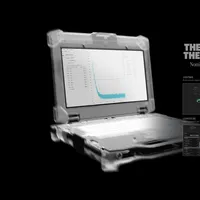
Nominal Connect 是一款为开发、控制和自动化测试平台而构建的新平台。
为了满足客户的特定需求,Nominal 团队选择了 Rust 编程语言、Bevy 游戏引擎和 egui 界面库。
这一选择使得 Connect 能够高效处理大量数据,实现低延迟、可靠的硬件交互,并支持多种数据格式。
Rust 的线程安全性和错误处理能力显著提高了程序的稳定性,而 Bevy 引擎则为可视化和模块化提供了便利。
通过将 Connect 部分插件编译为 WebAssembly (WASM),Nominal 实现了桌面应用和基于云的核心平台之间的无缝集成,从而为用户提供了统一的体验。
查看原文开头(英文 · 仅前 3 段)
IntroductionAt Nominal, our mission to accelerate test led us to build Nominal Connect - a new platform for developing, controlling, and automating test stands.One year ago, when we started developing Connect, we made some fairly unique technology choices: we chose to use the Rust programming language, the Bevy game engine, and egui for our UI.After a year of shipping Connect to customers, we're excited to share what we have learned working with this tech stack.In this post, we'll walk through why we chose these technologies, the benefits we’ve experienced, and the tradeoffs we've navigated.Why a Desktop App?As a complement to Nominal Core's cloud-based infrastructure, Connect has three main goals:Ingest data from hardware to visualize it locally, as well as upload to Core for further analysisCommand test stands via either a human operator, or an automated test scriptTravel along with our users to any testing environment, without needing a connection to a central serverFrom the beginning, we knew Connect had to be a desktop application. For Core, being cloud-based is a major advantage: Core users can collaborate instantly and share links to data and analyses. However, Connect users have different requirements.Connect must be close to hardware, low latency, and operate reliably in any environment our users want to run tests in. A desktop app made more sense than a web app.Choosing Our Tech StackOnce we settled on building a desktop app, the question then became: what UI framework should we choose to develop Connect?Unlike the web — where React has become the de facto standard — desktop development has no clear default. The ecosystem is fragmented, especially when it comes to cross-platform solutions.A non-exhaustive list of options we could have gone with include:React on desktop using Electron or Tauri (JavaScript)Avalonia (C#)GTK (C, with many bindings including Rust)Flutter (Dart)egui, Dioxus, or Iced (Rust)RustRight off the bat, our requirements for interacting with hardware and low latency led us to eliminate interpreted programming languages. Interpreted languages’ difficult C FFI and reliance on garbage collection made them a bad fit for Connect.Of the remaining options, Rust was the most compelling language.Compared to C or C++, Rust gives us:Thread safety (Connect does a lot of multithreading)A focus on robust error handling (we can’t have Connect crashing in the middle of an expensive test run!)Easy compilation to WASM (opening the door to interoperability with Core)Modern tooling and dependency managementBevy and eguiWhile something like Dioxus + Tauri would have let us write Rust rendered to a webview, we didn't want to incur the cost of Rust ↔ webview communication, nor the overhead of expensive DOM updates.For the UI layer, we ultimately chose egui. Immediate-mode rendering is a natural fit for the realtime, constantly updating telemetry and visualization dashboards that Connect is doing.At the time, it was also the most mature and battle-tested Rust-native UI option available to us, having been proven in Rerun.Rather than drive the app through egui’s eframe, we chose to use Bevy. Bevy powers all the 3D visualizations in Connect, along with bringing some nice goodies like asset handling and modularization via plugins (more on this later).Despite this fairly unique stack, we weren’t going at it alone. Our build partners at Foresight Spatial Labs wrap everything into a unified SDK, allowing our team to focus on building the best user experience for test engineers.BenefitsSo after a year of development, how did our choices hold up? Let's start with the some of the benefits we've gained from our tech stack.PerformanceFirst off, Connect's performance has been impressive right out of the box. Without needing significant optimization effort, Connect has been able to handle the massive volumes of data our customers generate every second. A quick stress test we put together shows that Connect can handle 3.4 million data points/second without sweating.When we do need to optimize, e.g. when a customer reported slow plots with a certain test setup, we have a large number of profiling tools we can use to investigate.Bevy’s tracy integration provides insight into what Connect is doing every frame, across both the CPU and GPU.Additionally, Foresight Spatial Lab’s inspector tooling gives us a per-widget breakdown of time spent in the UI.Owning the whole rendering stack end-to-end, all in the same language, has been valuable as it lets us dive deep into any performance issues.SafetyJust like test engineers ensure the safety of their hardware, we ensure the safety of their tools by writing them in Rust!Memory and thread safety are both huge benefits of using Rust. Background threads are widely used in Connect to handle everything from reading data from hardware, to persisting data to Core, to monitoring running Python test scripts. Often, multiple threads need access to the same data, at the same time as the UI.Without Rust’s thread safety, we would have a much harder time coordinating this work without race conditions.Additionally, we recently turned on a series of clippy lints further disallowing panics via functions like unwrap or expect, raw indexing, and arithmetic side effects (e.g. divide by zero).Our goal is for Connect to never crash or lose data in the middle of a test run, and to build a reputation of reliability. Rust gives us the tools we need to make that happen.Unified DevelopmentUsing Rust for our UI also brought an unexpected benefit: unified development. Since our driver code is also in Rust, every engineer can work on any part of Connect at any level.The people building the UI for hardware interfaces have firsthand experience with the hardware itself, which has been invaluable for ensuring that we’re building the right tool to solve our customers’ problems.Asset HandlingGood asset handling has turned out to be another unexpected benefit of our tech stack.Most UI frameworks don't prioritize asset handling, but it's a big focus of game engines like Bevy.When it comes to hardware, test engineers work with a wide variety of data formats, and Bevy has made it easy for us to add support for new formats as customers request them.Below is an example of how simple it was for us to support loading ROS URDF files.Just these couple lines of code gives us lots of goodies for free, like detecting when assets are modified, and hot reloading them in the app!Modularity and WASMAnother benefit of Bevy has been its flexibility. Bevy’s plugin system, along with being able to compile to WASM, combine into a very unique set of capabilities.Internally, Connect is structured as a series of plugins providing things like Python venv management, hardware control, 3D rendering, etc.Connect, the desktop app, can use all of these plugins.In Core on the web, we can compile a subset of Connect plugins (e.g. just the 3D rendering and some UI code) to WASM, and embed it in Core pages.That means that when customers are analyzing their data in Core, they can see the same exact visualizations as when they were originally capturing the data in Connect - all with minimal engineering effort on our end.VisualizationsBevy, egui, and Foresight Spatial Lab’s SDK also bring world-class support for custom visualizations.By building on top of a game engine, Connect gains support for high performance and high fidelity rendering of 3D meshes, point clouds, voxels, animations, level-of-detail streaming, and more.It has been easy for us to support mixed digital twin workflows, where you have a 3D model animating based on readings from your hardware sensors, right next to a live video of the actual test run.Additionally egui’s epaint API lets us easily make custom visualizations for things like flight controls in just a couple of lines.ChallengesOf course, going off the beaten path has come with its share of challenges. Some are inherent tradeoffs of our technology choices - like the complexities of immediate mode UI layout. Others stem from the relative youth of the Rust desktop ecosystem, where we've had to build solutions that more mature frameworks would provide out of the box.Here are the main challenges we've encountered and how we've addressed them.Layout and UIWhile egui brings a lot of benefits, it also brings some downsides. Egui’s immediate mode API means that it’s fast, but also that it’s much harder to do complex layouts compared to something like flexbox.Careful usage of ui.add_space() for centering elements and ui.with_layout(Layout::right_to_left()) for drawing widgets to either side of a container gets us pretty far, but it’s not effortless.We’re recently been investigating options like egui_taffy and egui_flex for when we need more advanced layout functionality.Additionally, both our team and Foresight Spatial Labs have built various APIs on top of egui, which has been essential for developing an application of Connect’s scale.Some of the more interesting APIs we’ve written include:A central Ctx type that provides access to Bevy’s World . This has been useful in a variety of ways, including using Bevy Resources to store global application state, and Bevy Events for sending in-app notifications to alert users to errors.We also use Events for orchestrating automated integration tests in Connect:A custom Widget trait, providing isolation between UI elements when it comes to UI layout and widget IDs, along with powering the UI inspector.An AsyncCache API that functions like React’s memo for memoizing expensive API calls, e.g. fetching a list of datasets from Core.Additionally, while egui’s built-in widgets let us build up the product quickly, they do not fit Nominal’s design system, and sometimes lack the functionality we need.To address these limitations, we've been developing our own widget library of searchable dropdowns, pane and tab layouts, canvas diagrams, and custom window decorations to ensure that Connect looks and behaves at a quality level above legacy testing platforms.Compile TimesLong incremental compile times have been another pain point in our development experience. While we have a great hot reloading story for assets, the same cannot be said for code.Splitting code across more crates (we currently have a nice and even 50 crates) to enable the Rust compiler to cache more artifacts and using a faster linker helps, but is not a complete solution.We're working on updating to Bevy 0.17, which will give us access to Dioxus's subsecond system for code hot reloading. This should significantly improve our iteration times and save us a lot of overall development time.Idle Resource UsageWhile immediate mode rendering is a great fit for constantly updating visualizations, there are times where we don’t want to continuously update. We heard from customers that Connect’s idle CPU usage was very high, and realized that we needed a secondary rendering mode for when all you are doing is scrolling through existing data or interacting with some static widgets.We created this thread-safe waker API to manage how often the app updates. We switched to Bevy’s UpdateMode::Reactive, so that by default, the app only updates once a second, or when the user interacts with it.When animations are playing or new data is coming in, the UI or streaming threads can call wake_event_loop() in order to go back to continuous updates.Under the hood, this sends a WakeUp event to Bevy’s event loop via a proxy, telling it to schedule an app update.The waker solved our idle CPU usage problem. Now customers can enjoy a coffee break without their laptop sounding like a jet engine - minus the engineers actually working on jet engines. DistributionFinally, app distribution and cross-platform stability continue to be challenging.We have a CI system to build packaged apps for Windows, Linux, and macOS for every release.On Windows we use Inno Setup for our installer, on macOS we build a .dmg using command line packaging tools (no Xcode), and on Linux we build both a Nix package and a general zip file. On all platforms, we have our own auto-update mechanism.While this is a pretty decent setup, each platform brings its own challenges.On Linux, libc incompatibility between different distros makes Connect tricky to get running reliably. Even compiling against a very old version of glibc is often not good enough. To solve this, we’re thinking of distributing flatpaks (with sandboxing disabled, so that you can access hardware sensors) to have a consistent runtime across machines.On Windows, graphics drivers are messy. Connect needs to run on a variety of machines with a variety of GPUs, including very old machines. Graphics drivers are often buggy or not updated, causing hard-to-reproduce bugs unless we have the exact hardware that our customer has. Working around graphics driver bugs has been an ongoing challenge.On macOS, there was some initial complexity with embedding an app icon without using Xcode, which involves some undocumented magic. Otherwise, macOS has been fairly stable, although app signing requires an active connection to Apple’s servers, occasionally breaking our CI when their servers have problems.On Web, WebGPU has still not shipped everywhere yet, although it has not been much of a problem in practice, as we do not need to support mobile devices.Despite these challenges, we've successfully shipped Connect to customers across all major platforms.Closing ThoughtsAfter a year of shipping Connect to customers, we're confident that we made the right technology choices. Although they are not without their downsides, Rust, Bevy, and egui have given us the performance, flexibility, and reliability we need to build a world-class desktop application for test automation.If you're excited about building the future of testing, we'd love to hear from you. Check out our open positions, and come work with us on the next generation of software for hardware testing!
※ 出于版权考虑,仅引用前 3 段。完整内容请阅读原文。